Changelog

Follow new updates and improvements to SiteGPT.

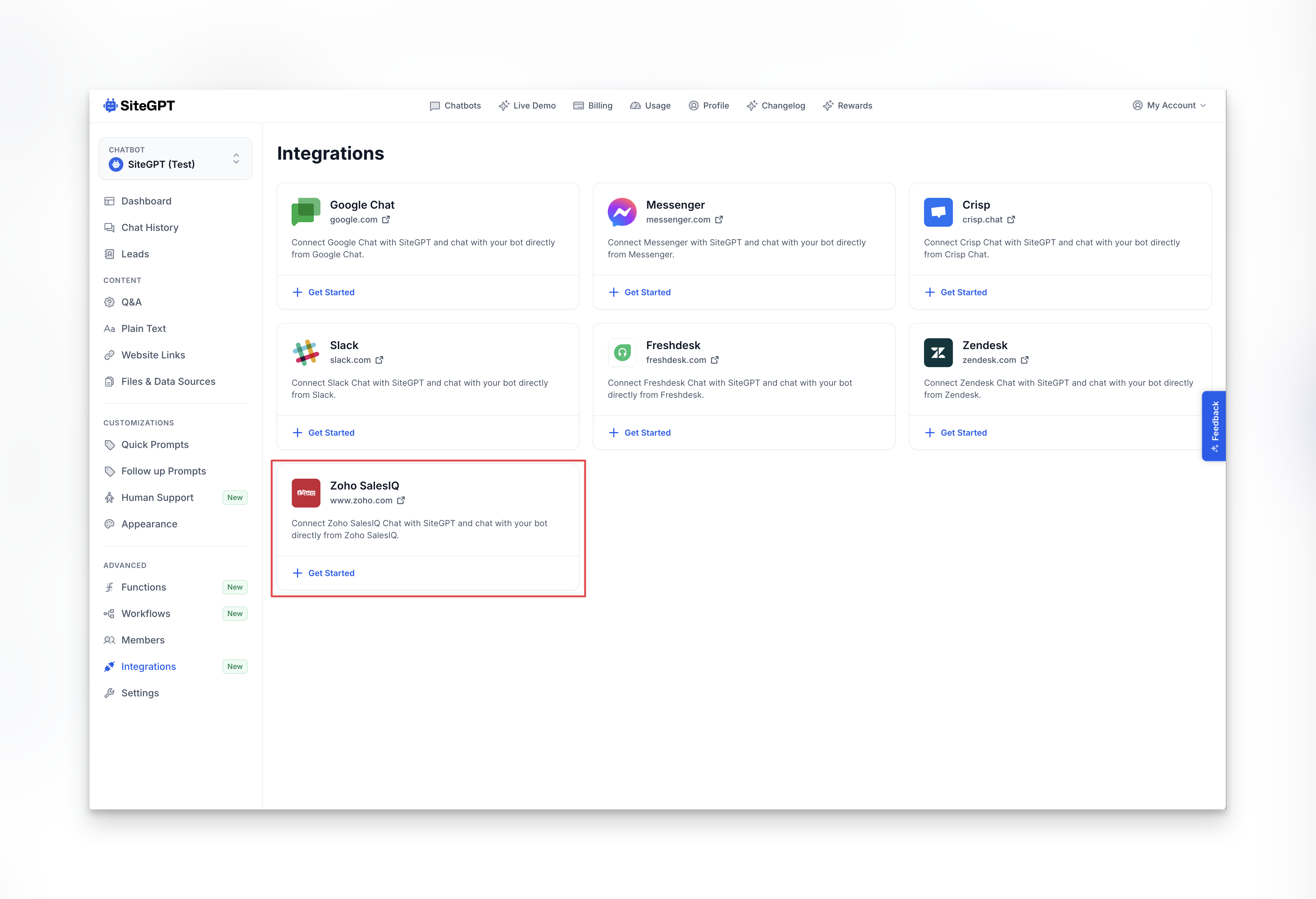
New Chat Integration – Zoho SalesIQ

We now have an integration with Zoho SalesIQ.

If you want to use Zoho SalesIQ for your live chat but still want SiteGPT to automatically respond to queries inside Zoho chat, then you can use this integration.

We also have similar integrations with Google Chat, Messenger, Crisp, Slack, Freshchat, and Zendesk.
New

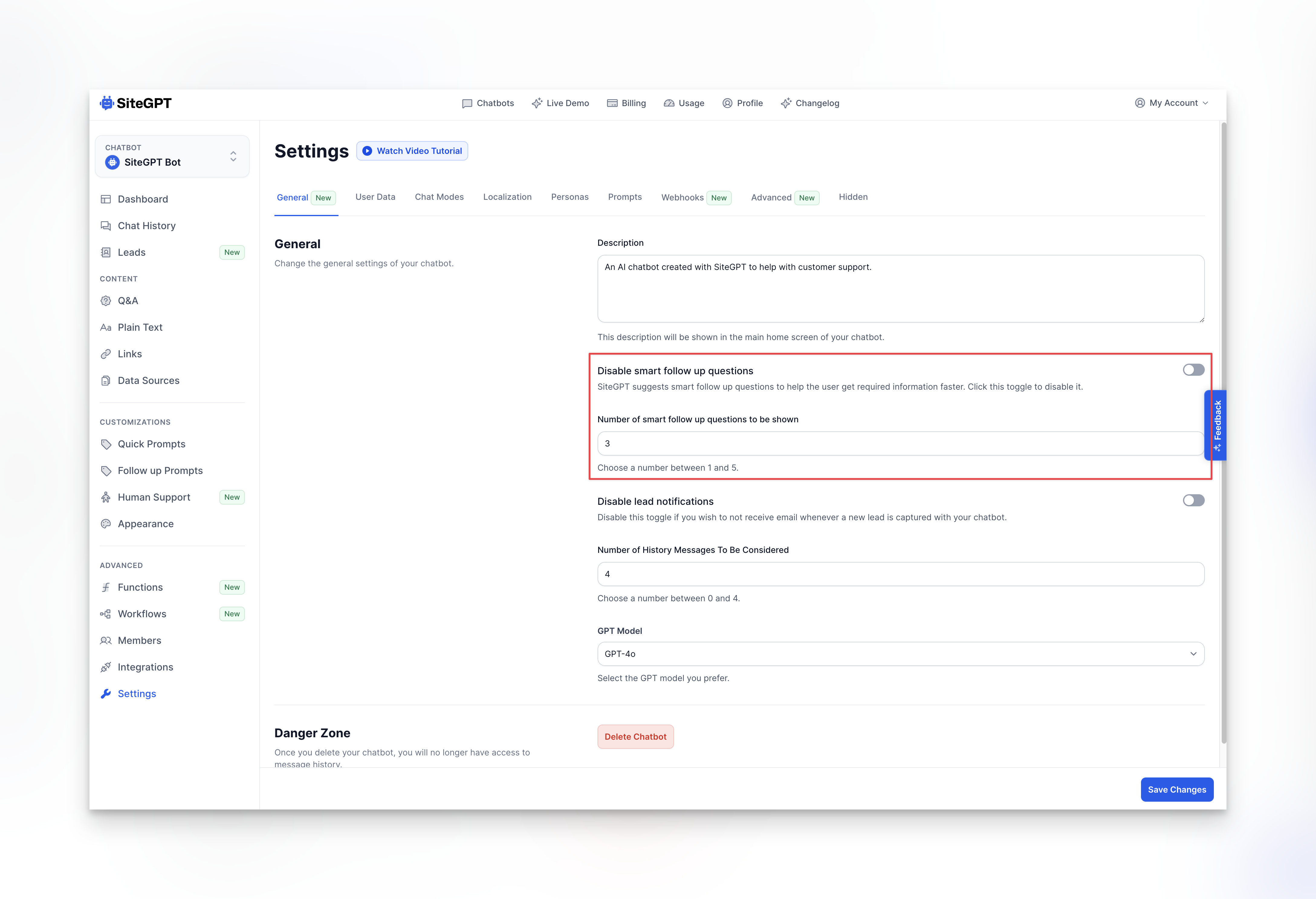
Control the number of Smart Follow up Questions

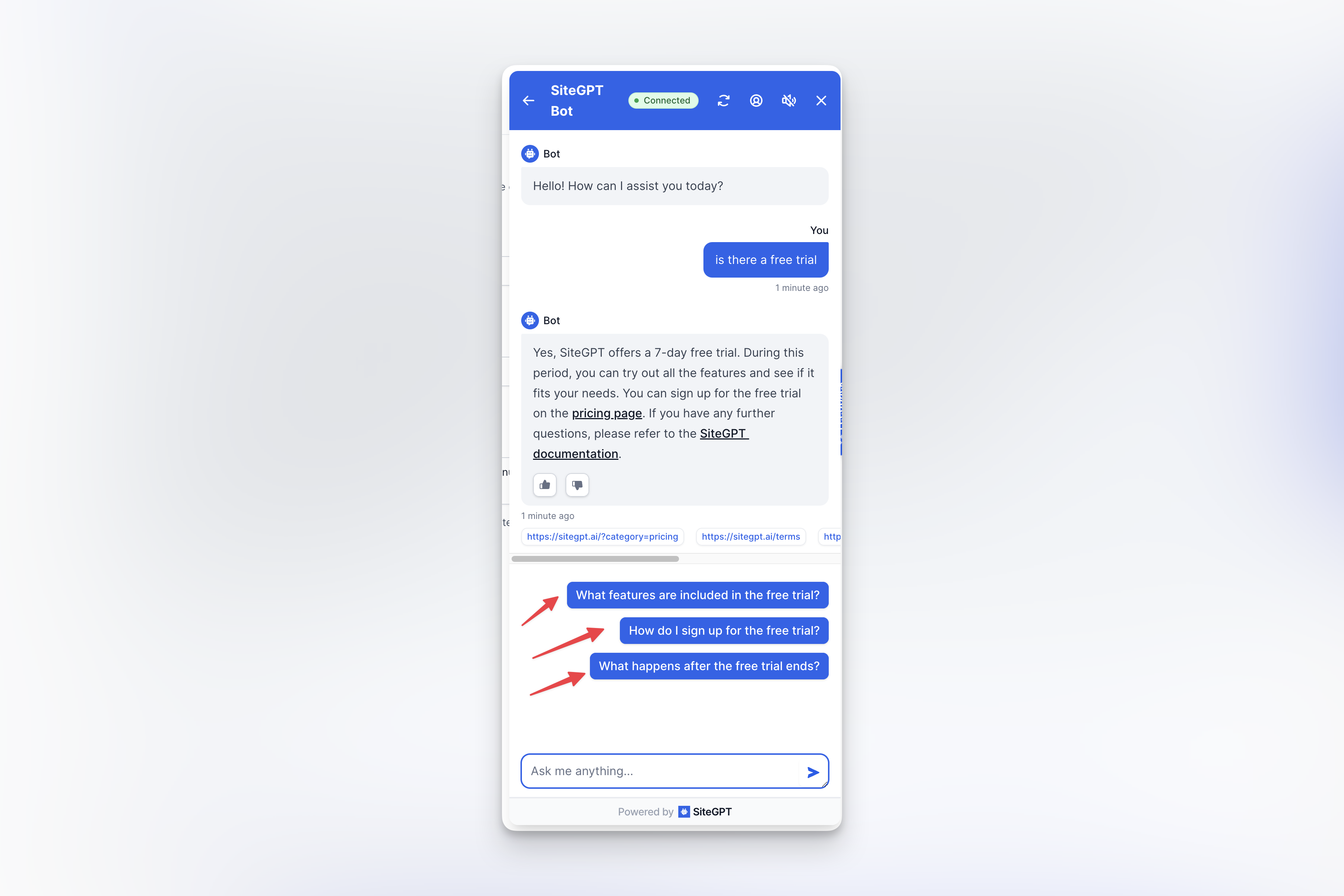
By default, SiteGPT automatically generates three dynamic follow-up questions for every question.

Until now, there is no way to control this. But now, you can choose how many smart follow-up questions you want the bot to generate.

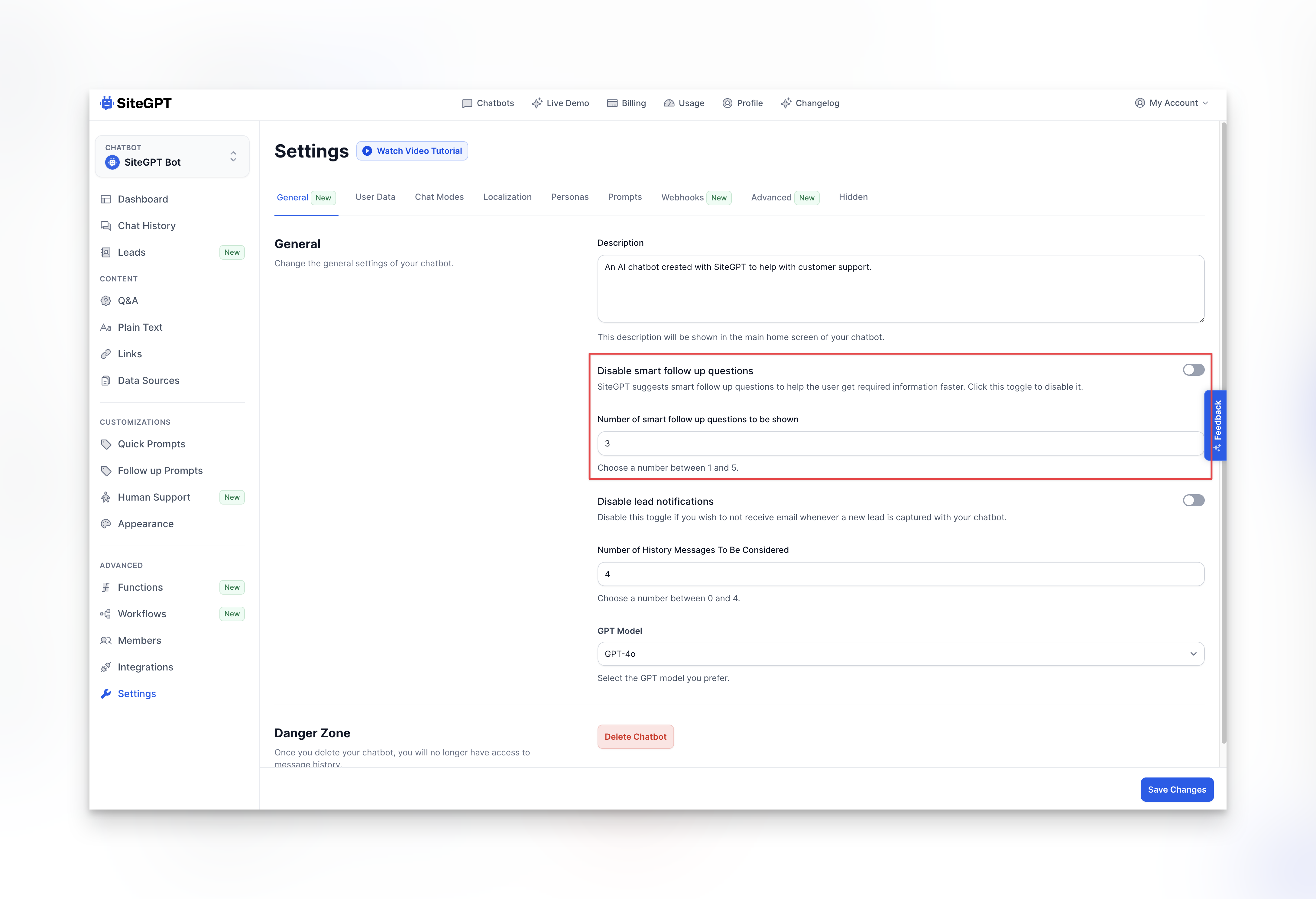
Just go to Settings > General and change the setting from there. You can choose any value between 1 and 5. You can also altogether disable this feature if you want to.

New

Easy way to Escalate to Human

We have made it super easy to turn on the Escalate to human support! feature.

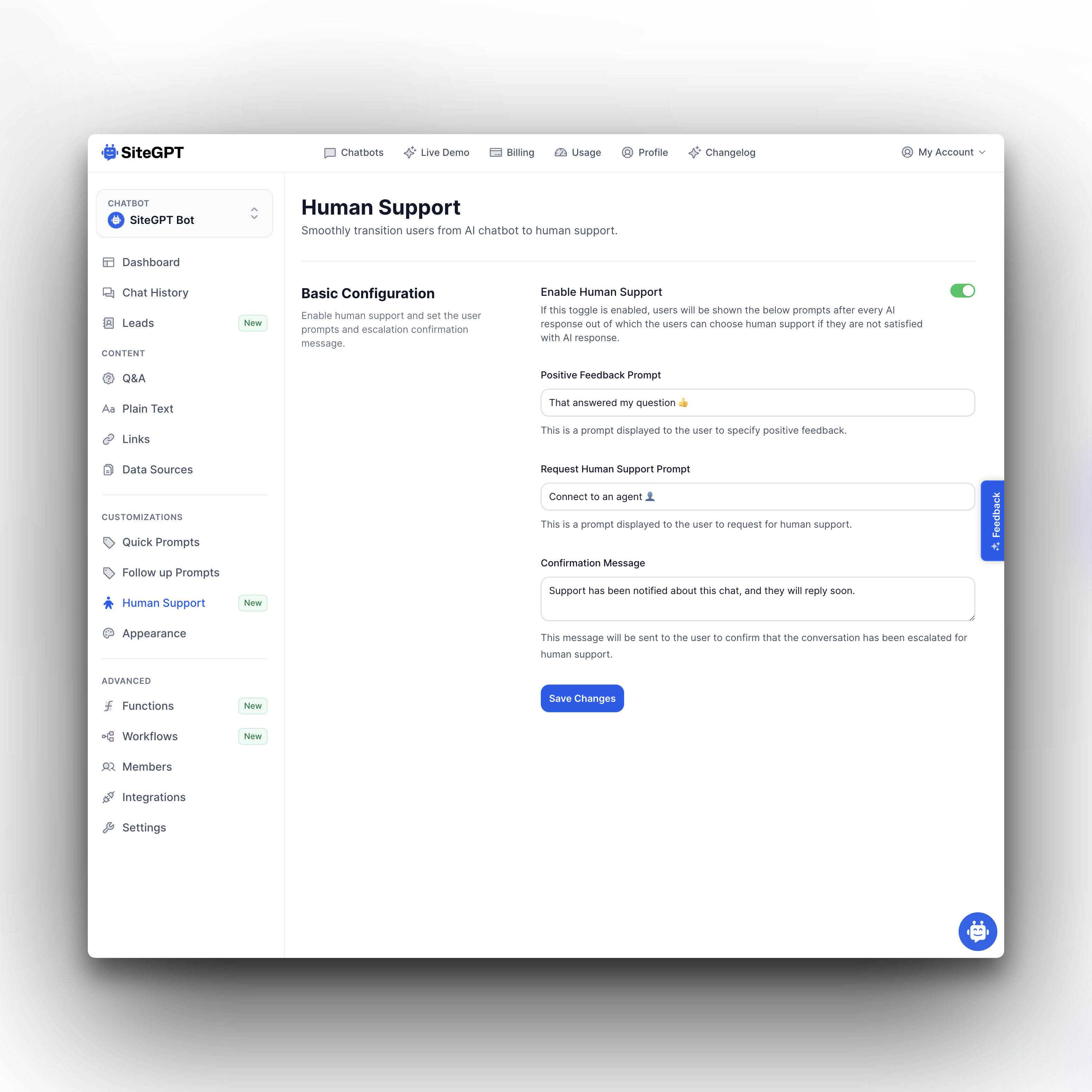
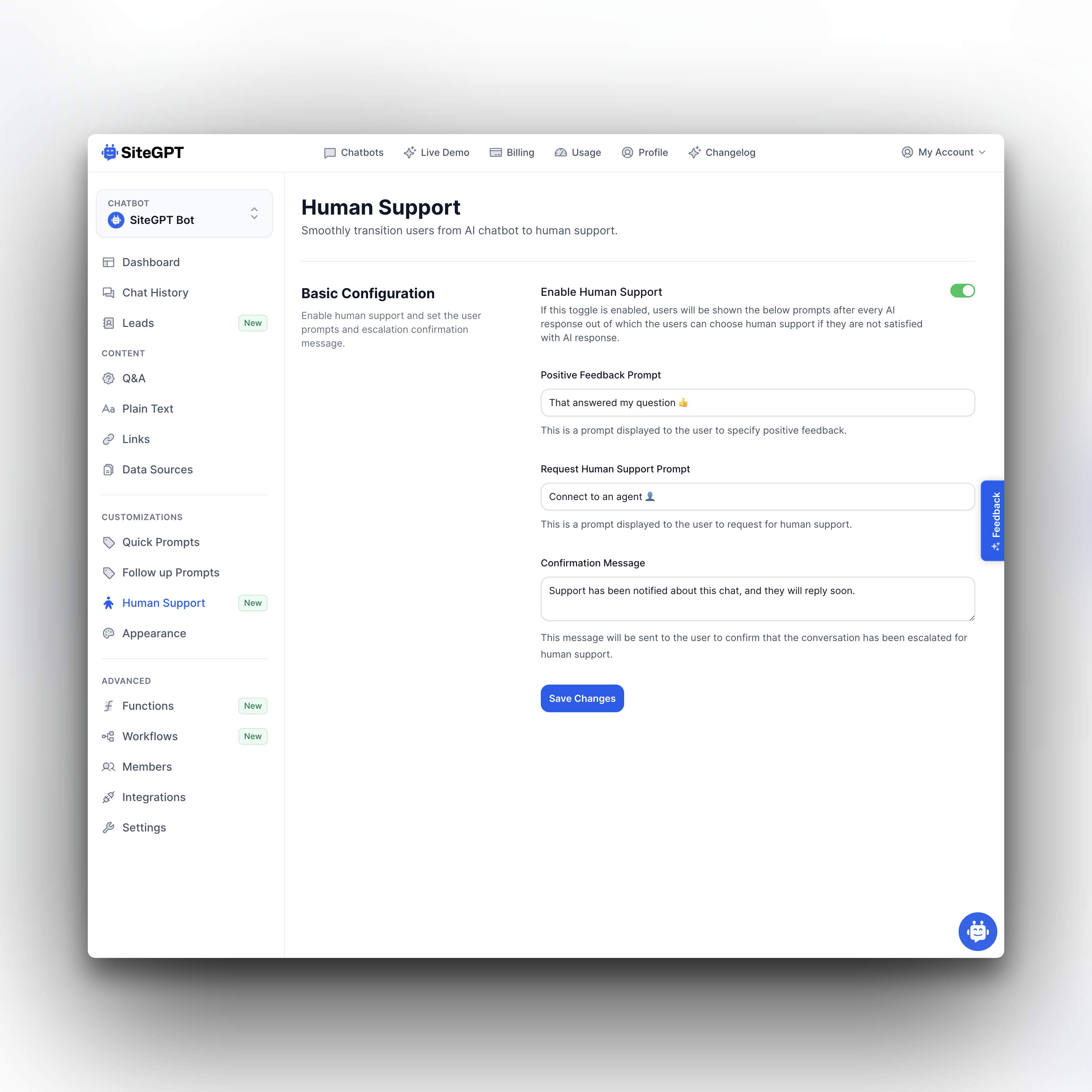
All you have to do is go to Human Support in the sidebar of your chatbot, and turn on the Enable Human Support toggle.

Every time AI uses your knowledge base to answer a question, it will also ask the user if that answer helped or if they want to speak to human support.

Improved

Earlier updates