Changelog
Follow new updates and improvements to SiteGPT.
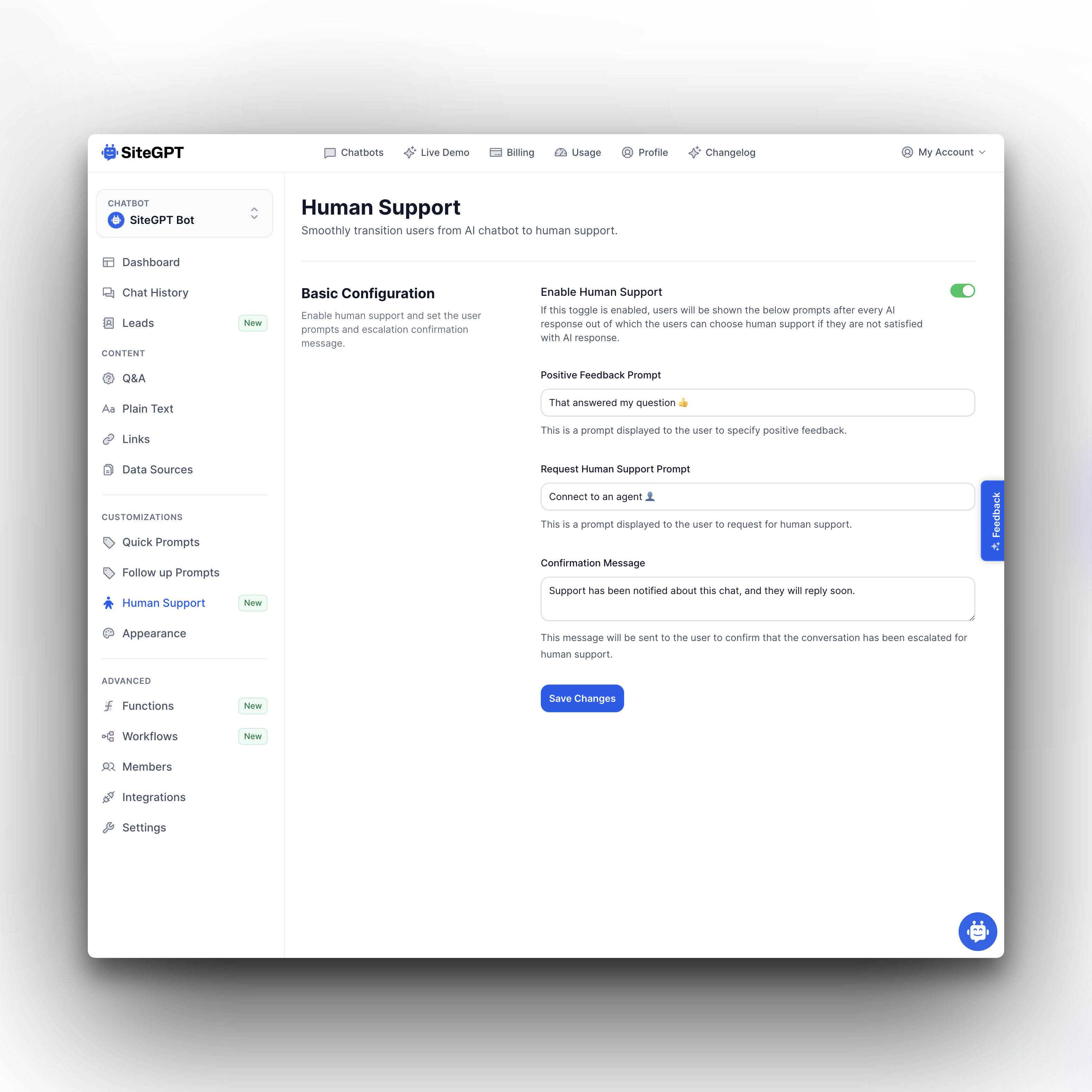
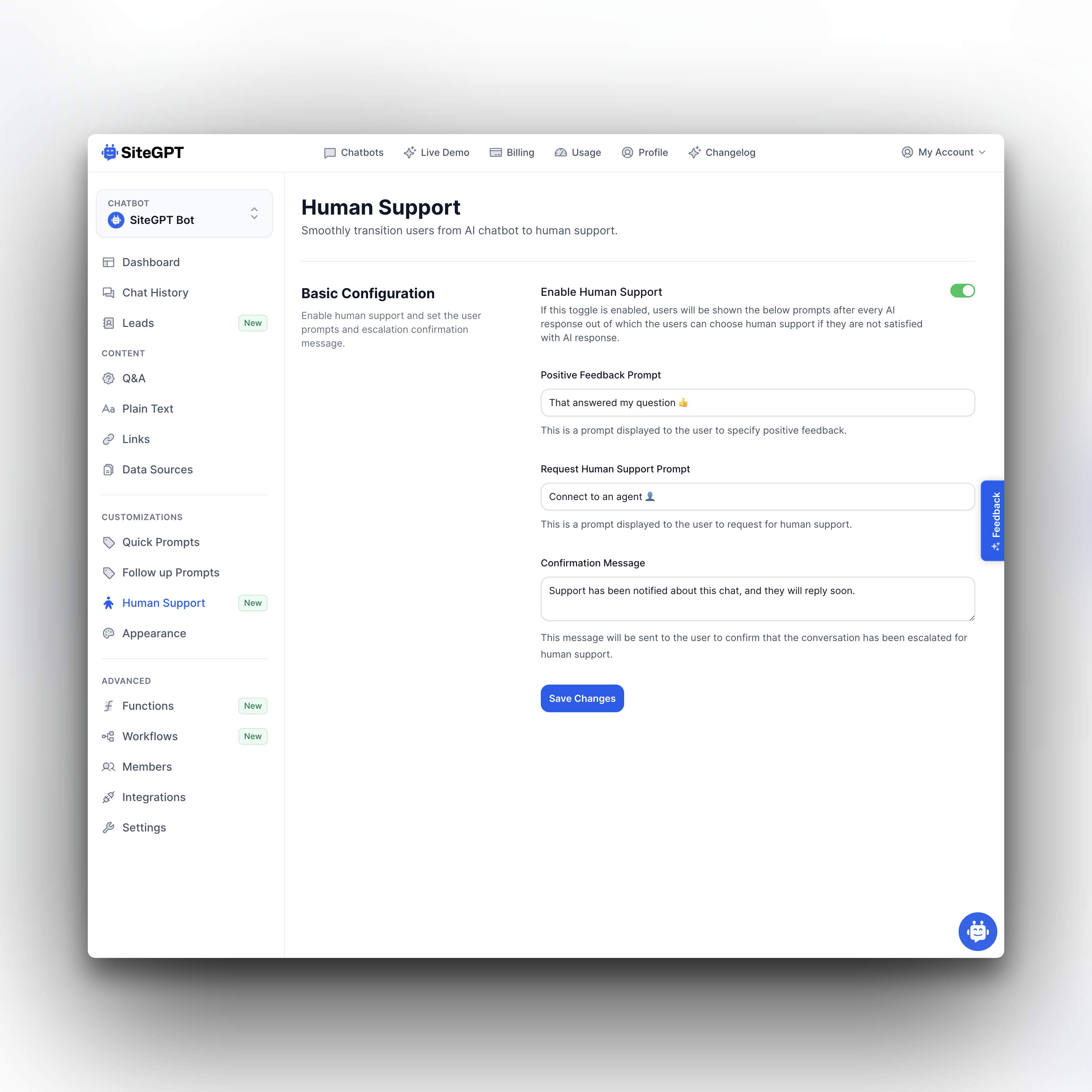
We have made it super easy to turn on the Escalate to human support! feature.
All you have to do is go to Human Support in the sidebar of your chatbot, and turn on the Enable Human Support toggle.
Every time AI uses your knowledge base to answer a question, it will also ask the user if that answer helped or if they want to speak to human support.
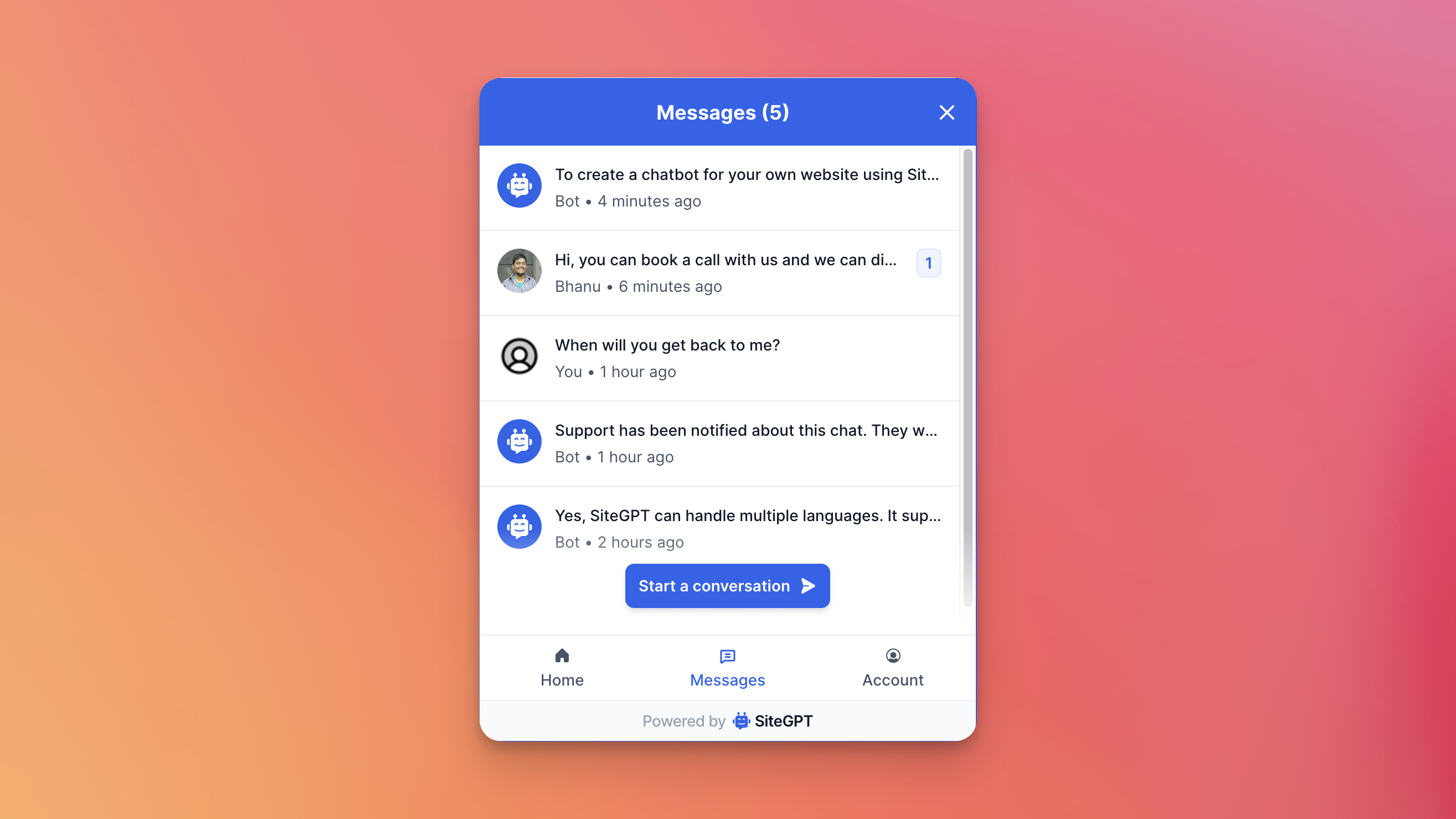
Until now, if the user closes the browser, there is no way for them to continue their past conversations or see your (from chatbot owner or agent) messages and respond to them. To solve this problem, we are now saving user's chat sessions in the browser.
Say goodbye to the user's frustration of losing their chatbot conversations when they close their browsers. With this update, we're now storing all your user's chat sessions in their browsers, ensuring that they can effortlessly pick up their conversations right where they left off, even after closing their browsers.
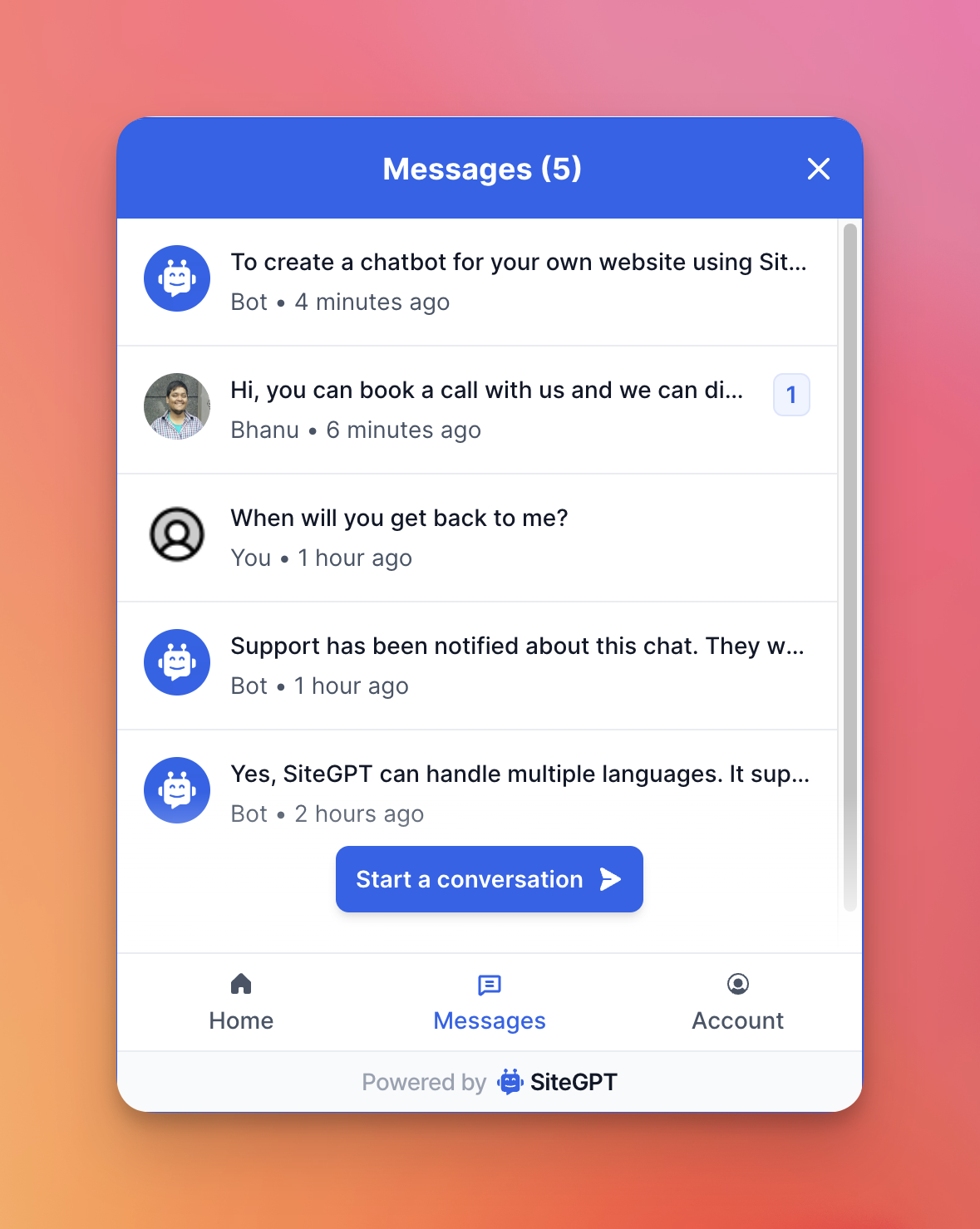
Users can see all their ongoing and past conversations in Messages tab. Users can also see number of unread messages in each conversation while they were away.
Now your users can enjoy uninterrupted interactions with your chatbot!